Blog Categories
Tracking Biological Samples in mLIMS: From Collection to Barcode
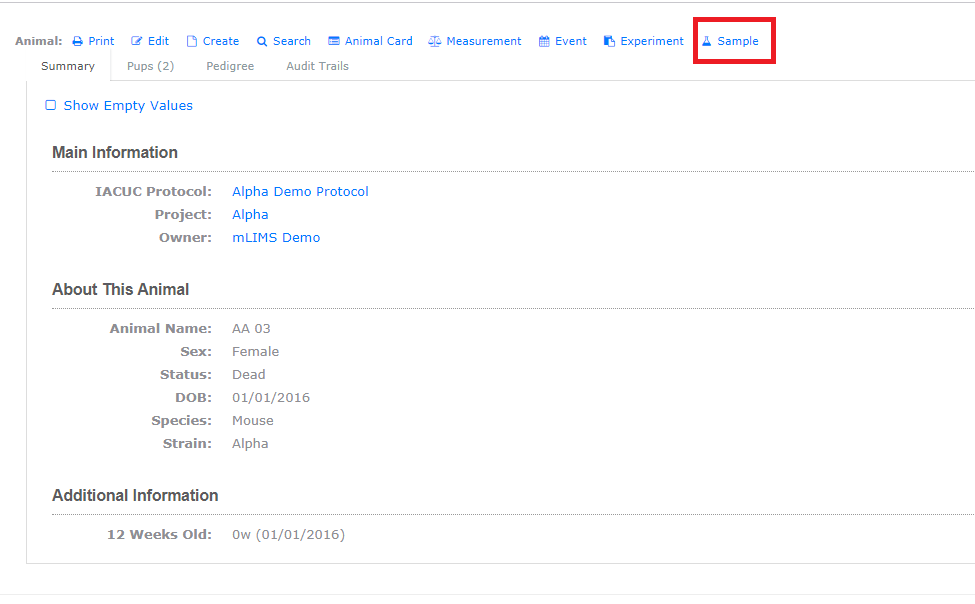
The easiest way to log a sample is directly from the animal's record. Open the animal record, click on the sample button on the top of the record, this opens a pre-linked entry form, ensuring every sample remains connected to its source animal. The form records essential information, including Sample ID, Sample Type, Collection Date, Barcode, Storage Location, and Status, with optional fields for harvest and preservation details, file attachments, and embryo samples collected from technical matings.
For large collections, import samples function lets you add multiple records at once. Download a template generated from your lab's configured sample fields, fill it in offline, then paste the data into mLIMS for review before importing. The review step ensures you can verify the data before anything is saved, helping prevent import errors. You can also use the import function to add samples that are not associated with animals, allowing you to manage both animal-derived and independent samples in mLIMS.
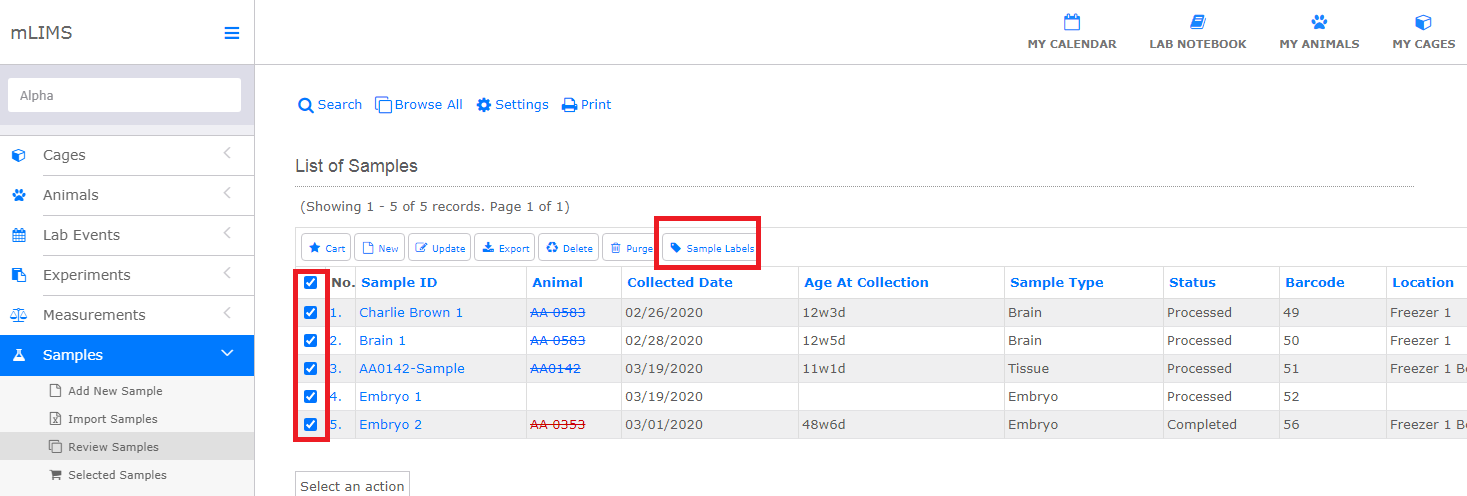
mLIMS makes it easy to print labels directly from the Samples module. Simply select one or more sample records and click Sample Labels, sample labels will be generated. Each label includes the Sample ID, Owner, Collection Date, Sample Type, and Storage Location, along with automatically generated barcode and QR code for fast, accurate sample identification and retrieval.
The Samples module is fully configurable to match your lab's workflow. In System Settings, you can enable or disable fields, create custom fields, and configure sample status notifications. These settings are automatically apply to both the Add Sample form and the bulk import template, so your configuration only needs to be completed once.
Biological samples often remain valuable long after they are collected. They may be revisited for genotyping, sequencing, histology, imaging, validation studies, or new research projects months or even years later. By keeping every sample permanently linked to its source animal, genotype, breeding history, and collection details, mLIMS provides complete traceability throughout the sample's lifecycle. Researchers can quickly locate stored specimens, verify their origin, and retrieve them with confidence, while reducing labeling errors and eliminating the need to maintain separate spreadsheets or disconnected sample inventories.
Available with mLIMS plans for three or more users, the Samples module provides a centralized solution for collecting, organizing, labeling, and tracking biological samples from collection through storage and retrieval. By keeping sample records and colony data together in a single searchable database, mLIMS helps protect valuable research materials, improve data integrity and reproducibility, and make sample management more efficient for the entire laboratory.
Ready to see it in action? Start a free trial or request a demo.